Close Menu
    Facebook X (Twitter) Instagram
    Thursday, October 22
    X (Twitter) LinkedIn Reddit RSS
    All about Endpoint Management
    • Home
    All about Endpoint Management
    Home»OS Deployment»Display language bar at logon screen in windows 7

    Display language bar at logon screen in windows 7

    Eswar KonetiBy Eswar KonetiJune 17, 20101 Min Read OS Deployment
    Share
    Facebook Twitter LinkedIn Reddit

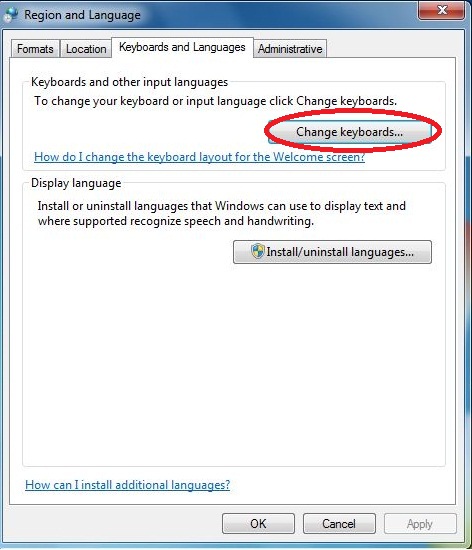
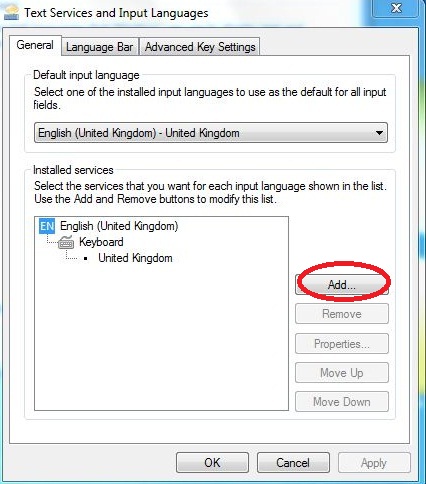
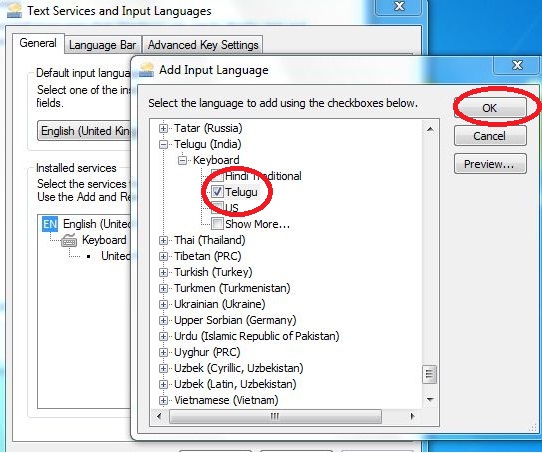
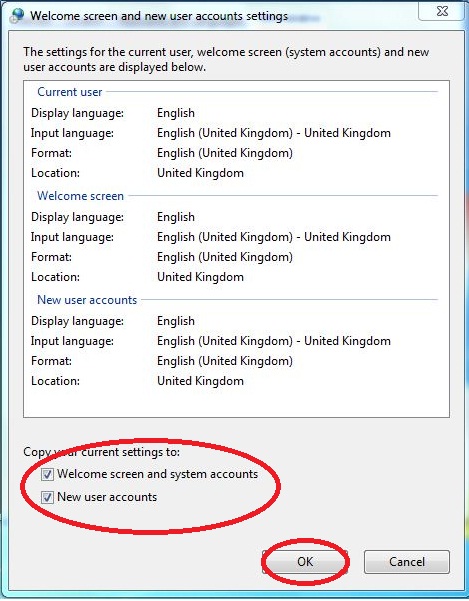
    Just want to show you how you can enable Language bar at welcome screen in windows 7 at the left corner topside.

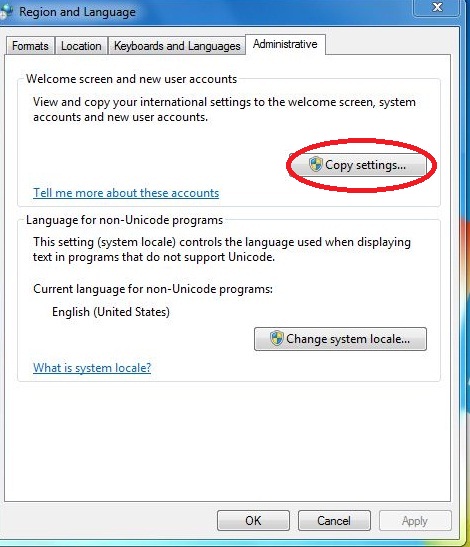
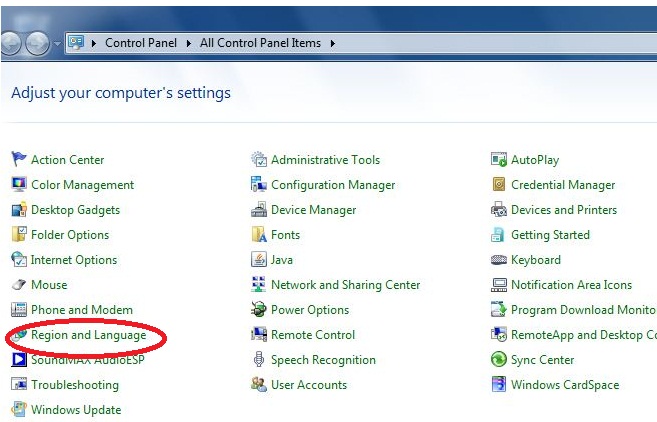
    Log into your windows 7 computer 1) Go to control panel ,click on Region and Language shown below with screen shots.
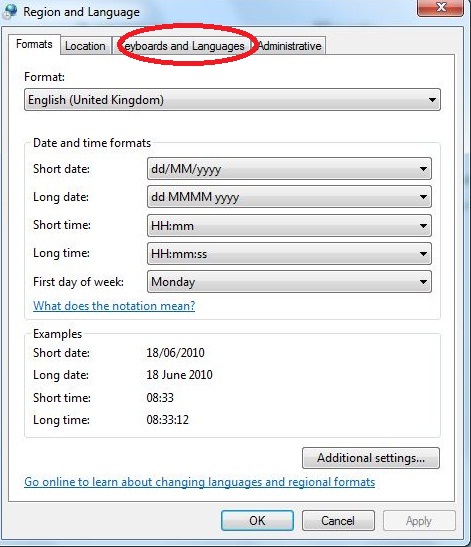
    Once you have done the all above changes ,Log off the computer. Next time,when you login ,you should be able to see Language bar on the left side top corner to select which Language.

    displayt language bar at logon screen Language Language bar language bar screen Logon screen Microsoft SCCM 2007 task sequences win7 language bar on logon Windows 7
    Share. Twitter LinkedIn Email Facebook Reddit

    Related Posts

    What Windows Event IDs Should You Actually Monitor

    September 12, 2026

    Export Microsoft Entra ID User Authentication Methods to CSV using PowerShell & Microsoft Graph API

    August 13, 2025

    How to detect the source of registry key modifications on windows devices – Intune

    November 21, 2024

    1 Comment

    1. Bryce on July 21, 2011 12:35 AM

      Thank you!

      Reply
    Leave A Reply Cancel Reply

    Support

    Awards

    Archives
    • Home

    © Copyright 2009-2025 Eswar Koneti, All rights reserved.

    Type above and press Enter to search. Press Esc to cancel.