By default in SCCM,you do not have separate collections for Windows 7 or server 2008 OS as like you have in Windows XP and server 2003.You can create a query based collection using the following method/ query.
collection for windows 7:
Right click on collections and say new collection ,go to query based collection and paste the below syntax.
select SMS_R_System.ResourceID,SMS_R_System.ResourceType,SMS_R_System.Name,
SMS_R_System.SMSUniqueIdentifier,SMS_R_System.ResourceDomainORWorkgroup,
SMS_R_System.Client from SMS_R_System
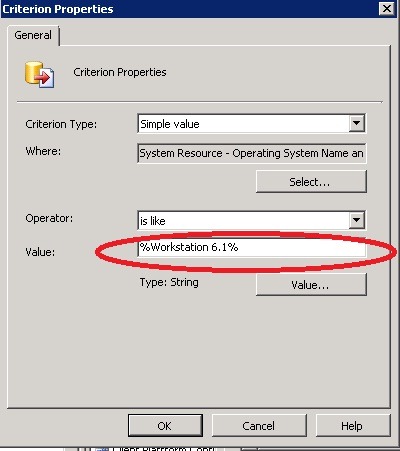
where OperatingSystemNameandVersion like "%Workstation 6.1%"
collection for Windows server 2008 or server 2008 R2:
select SMS_R_System.ResourceID,SMS_R_System.ResourceType,SMS_R_System.Name,
SMS_R_System.SMSUniqueIdentifier,SMS_R_System.ResourceDomainORWorkgroup,
SMS_R_System.Client from SMS_R_System
where OperatingSystemNameandVersion like "%Server 6.0%"
If you looking for server 2008 R2 ,the version will be server 6.1.Replace this in above criteria to get all computers listed.
A picture shown below using the Criteria based if you want to do it.