

Introduction
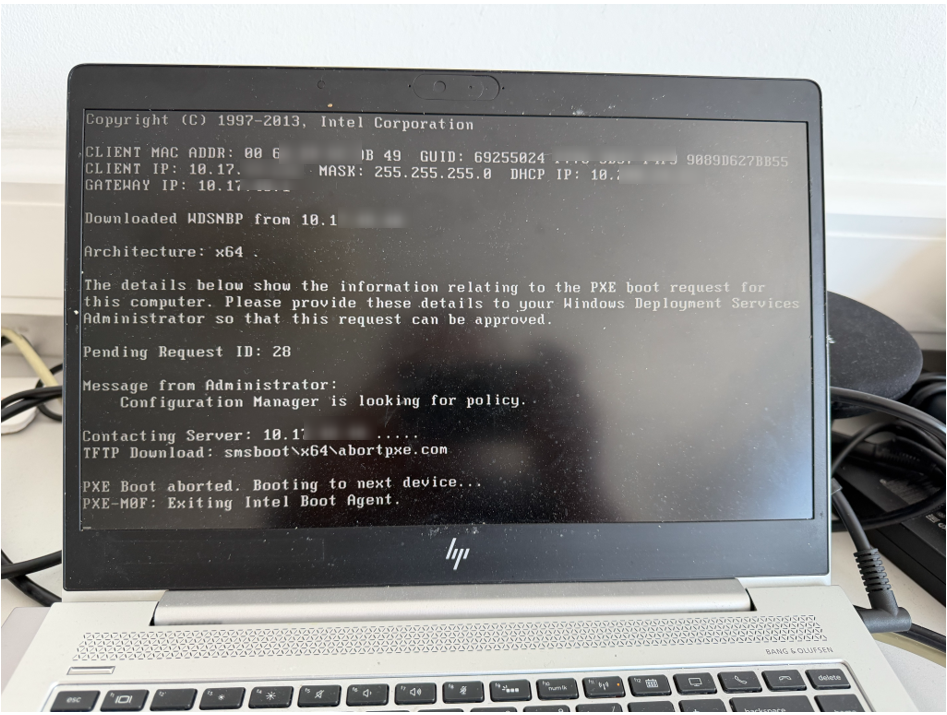
During an SCCM Operating System Deployment (OSD), a client successfully obtained an IP address, downloaded WDSNBP, contacted the PXE-enabled Distribution Point, and then aborted PXE boot. The SMSPXE.log revealed that SCCM could not locate the required boot image for the PXE request.
Symptoms
– PXE boot starts successfully.
– Client downloads WDSNBP.
– ‘Configuration Manager is looking for policy’.
– PXE boot aborts with abortpxe.com.
– SMSPXE.log reports: ‘could not find boot image EK1005EE’.
Observed PXE Error during the PXE boot.
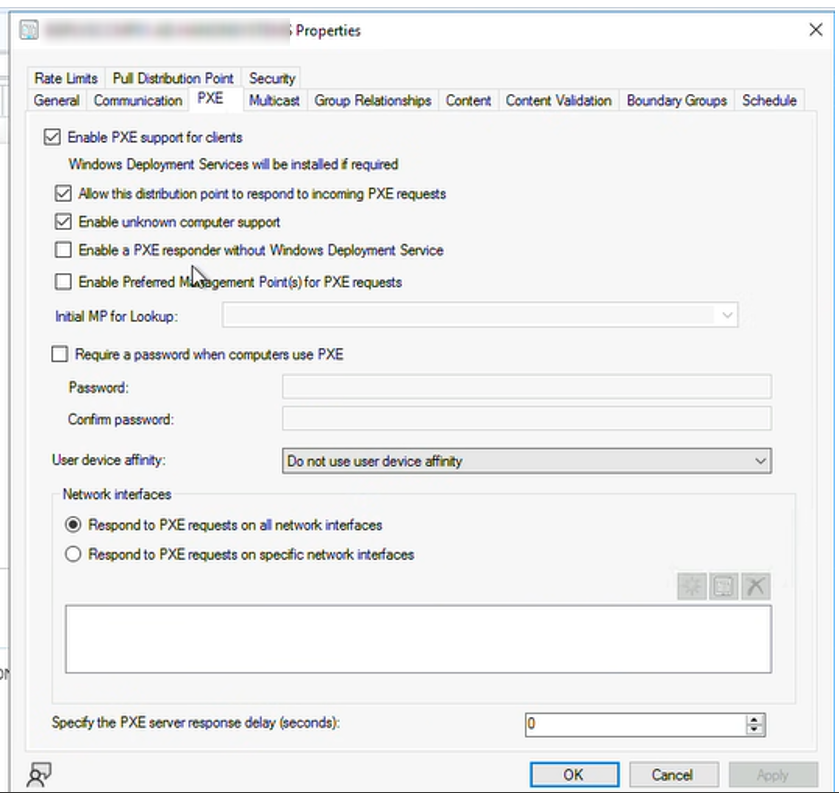
Distribution Point Configuration
The PXE-enabled Distribution Point was correctly configured with:
• Enable PXE support for clients
• Allow this DP to respond to PXE requests
• Enable Unknown Computer Support
This confirmed the DP configuration itself was not the root cause.
Troubleshooting Performed
1. Verified DHCP, TFTP and WDS communication.
2. Confirmed PXE-enabled DP configuration.
3. Checked Task Sequence deployment.
4. Verified Unknown Computer Support.
5. Reviewed Content Status of the boot image.
6. Examined SMSPXE.log.
Content Status
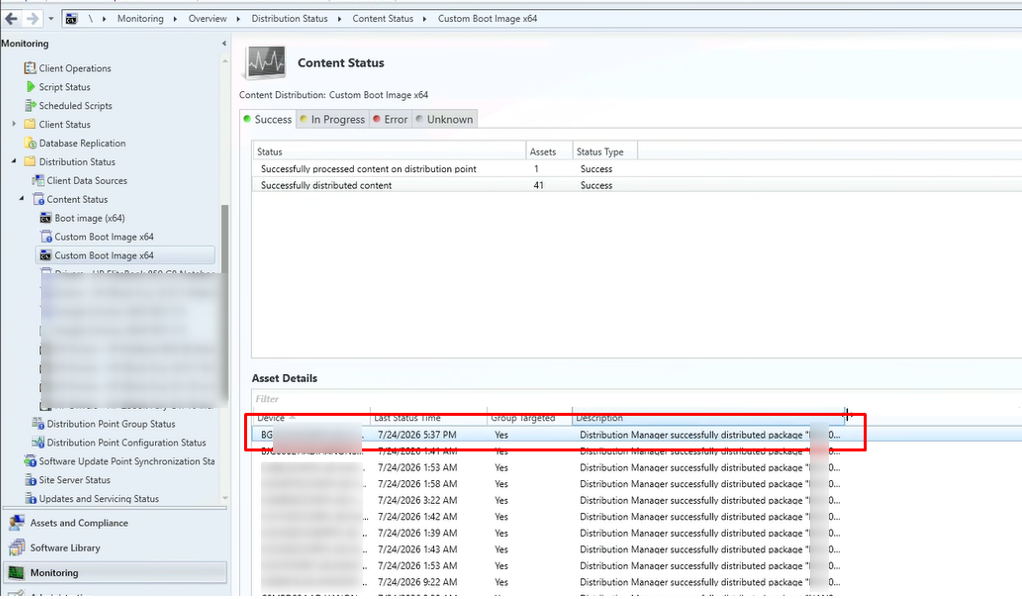
Although the boot image content showed as successfully distributed, PXE still failed.
SMSPXE.log Analysis
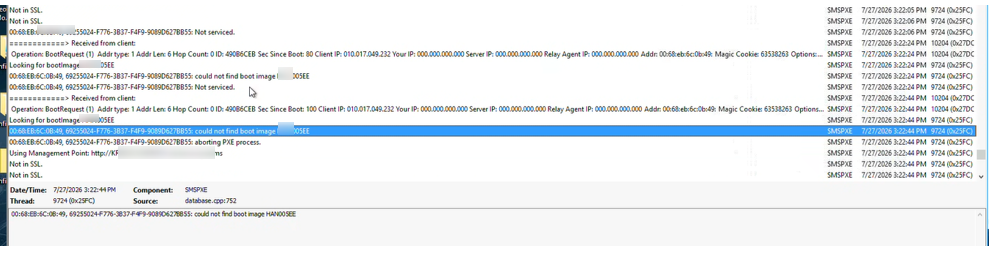
The key log entry was: ‘could not find boot image EK1005EE’
This indicates SCCM could not use the boot image for PXE, even though the content existed on the Distribution Point.
Root Cause
The Boot Image property ‘Deploy this boot image from the PXE-enabled distribution point’ was not enabled. Without this option, the boot image is distributed to the DP but is not registered for PXE boot requests.
Fix
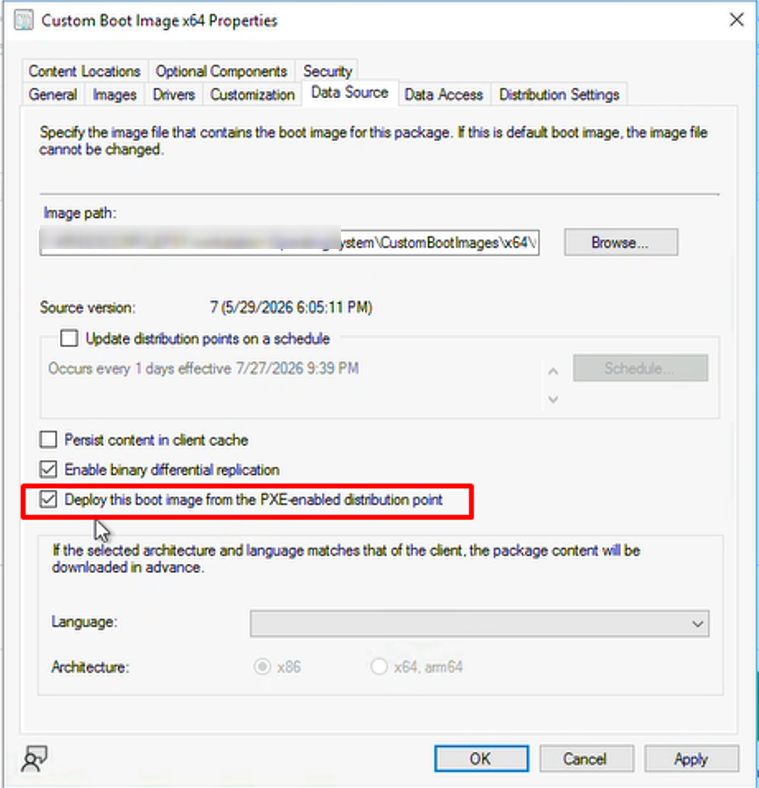
Enable ‘Deploy this boot image from the PXE-enabled distribution point’, then:
1. Click OK. The boot image will be distributed to ‘Distribution Points’.
2. Wait for content redistribution to complete.
3. Retry the PXE boot.
Verification
After enabling the PXE deployment option and updating the Distribution Points, the boot image became available for PXE requests and the client successfully loaded WinPE.
Conclusion
This issue demonstrates that successful content distribution alone does not guarantee PXE availability. Always verify that the boot image is explicitly configured to be deployed from PXE-enabled Distribution Points when troubleshooting ‘abortpxe.com’ or ‘could not find boot image’ errors.